URLMatcher platform

Tools for migration, crawling and ongoing SEO work

Build redirect maps, validate migrations with GSC, crawl sites, investigate issues and review 404 or internal link suggestions from connected workflows.

Plan and migrate

Work from URL inventory through post-launch monitoring

Crawl or import both sites, review the redirect map, check the launch and use Search Console data to inspect what happens afterwards.

Pre-launch

URL Mapping Tool

Build a reviewed redirect map with a deterministic matching pipeline, explainable scores and safety guards.

  • Upload CSV, TSV, Excel or JSON, crawl a site, or reuse a project
  • Run exact, path, slug, structural and content-based matching
  • Review guard flags, reasons and confidence before accepting
  • Export accepted matches to CSV, JSON or Google Drive
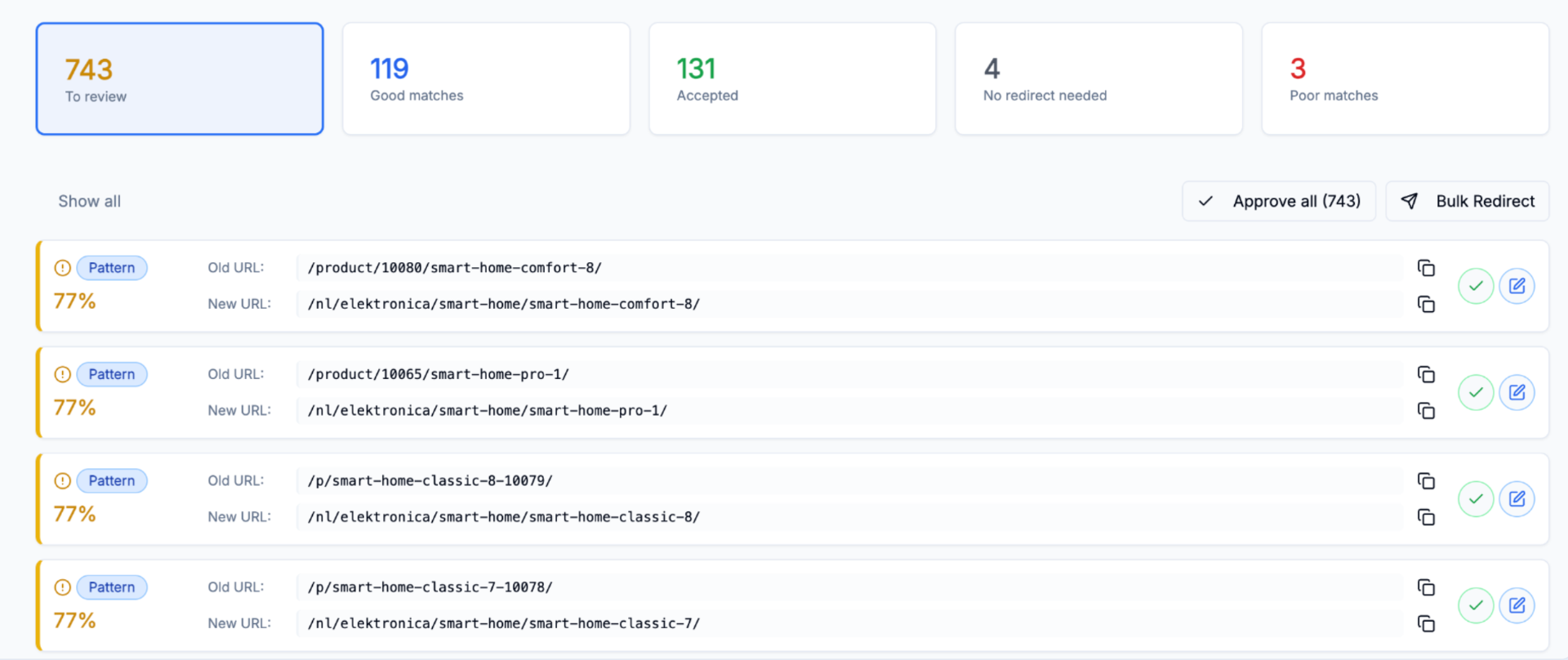
URL Mapping Tool interface
Full workflow

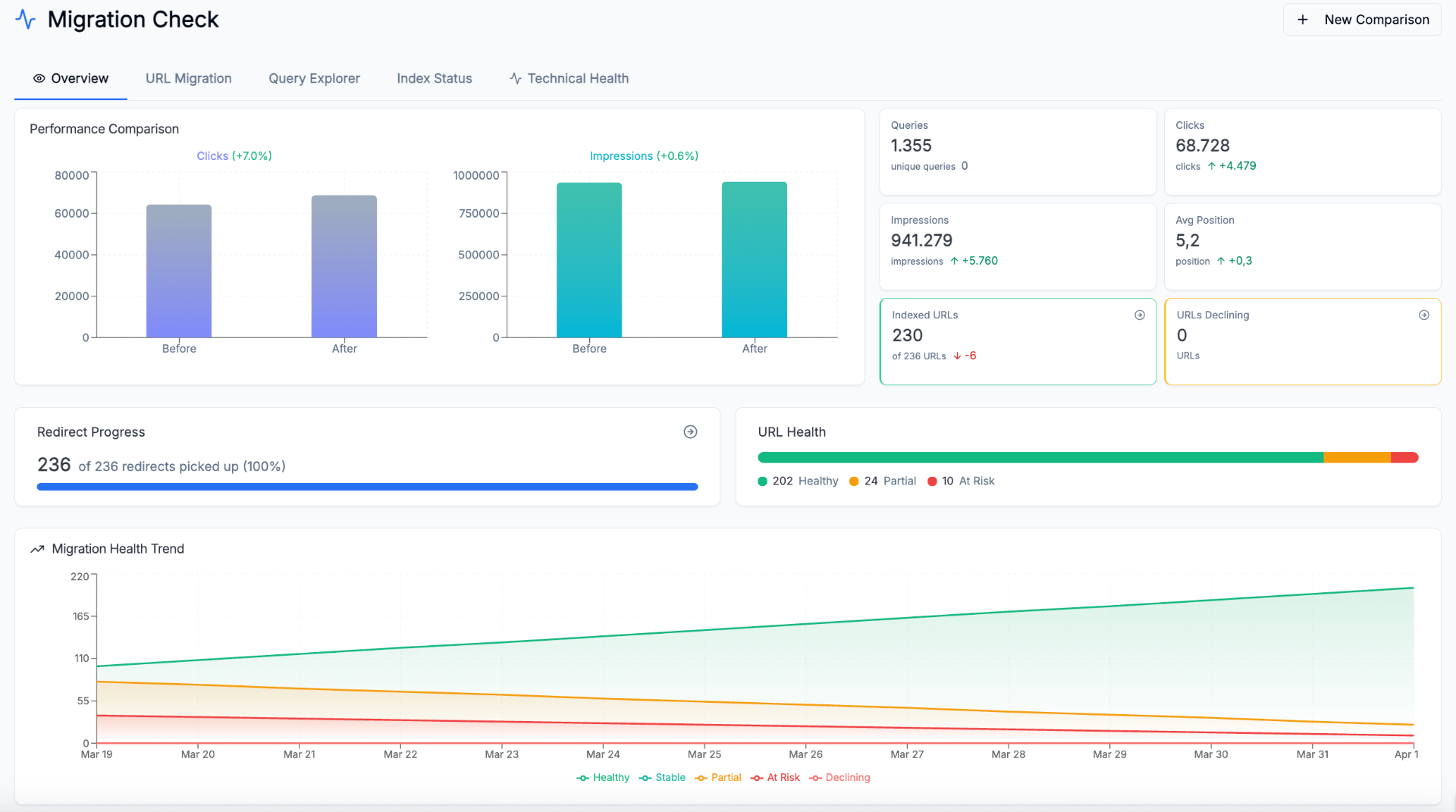
SEO Migration Tool

Prepare redirects before launch, then inspect URL transfer, technical issues, content parity and Search Console movement after launch.

  • Inventory old and new URLs with the built-in crawler or crawl-file imports
  • Use Search Console baseline data to identify important legacy URLs
  • Build and review the old-to-new redirect map before launch
  • Review URL transfer, query movement and risk after launch
  • Compare technical, content and structure changes in one workspace
SEO Migration Tool interface
Crawl and monitor

Keep crawl data, issues and search performance together

Run the crawler directly or keep a project for recurring technical and search analysis.

Crawl

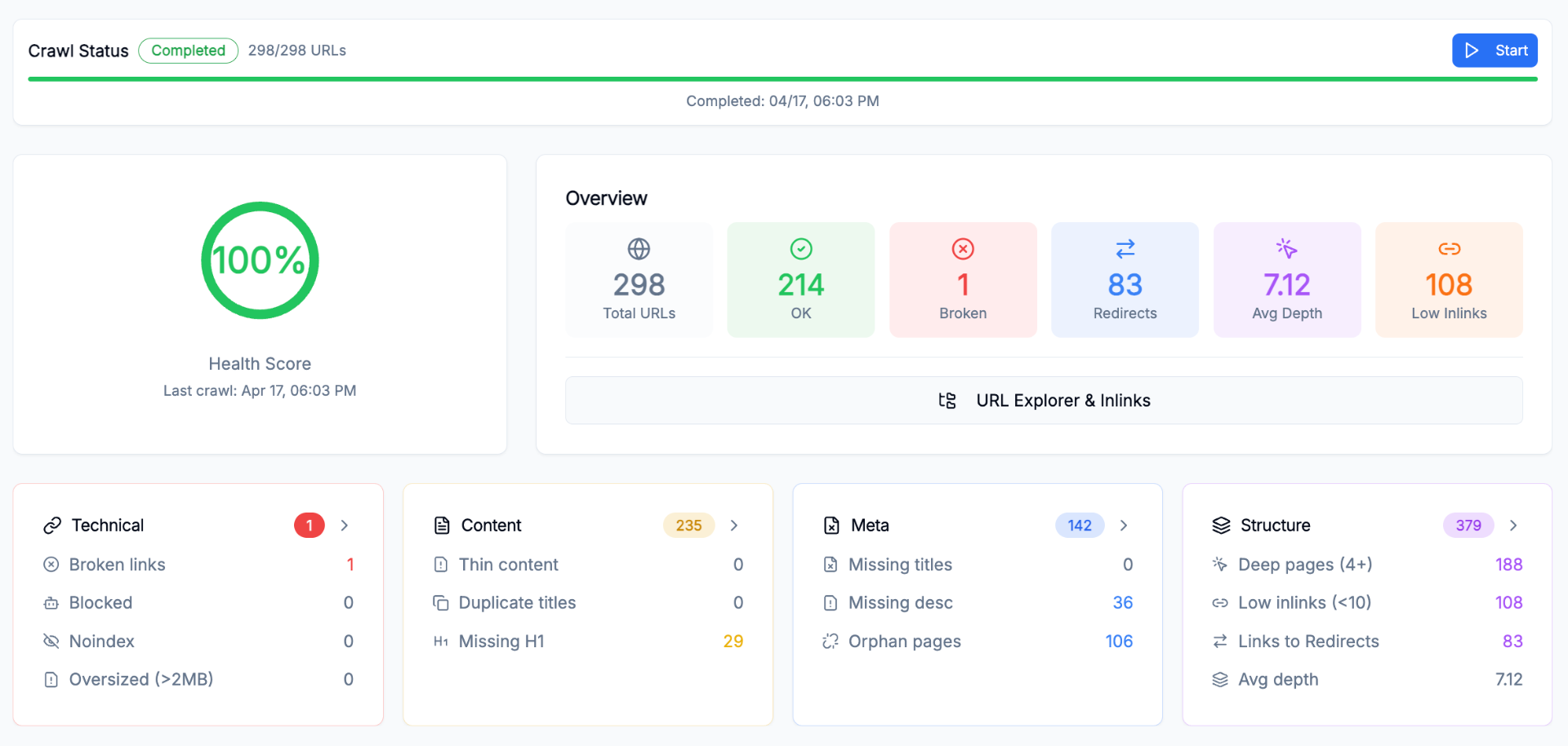
SEO Crawler

Crawl a site on demand or from an SEO Project and inspect the technical, content and link data behind every URL.

  • Discover sitemaps and respect robots.txt
  • Control crawl depth and include or exclude URL patterns
  • Keep parameter variants, trailing slashes and staging hosts visible
  • Compare crawl snapshots to find changes between releases
SEO Crawler interface
Monitor

SEO Projects

Bring scheduled crawls, GSC data, URL Explorer, issue detection and site analysis together for one domain.

  • Explore every URL with status, indexability, canonicals and inlinks
  • Prioritize technical, content, metadata and structure issues
  • Find duplicate content, path changes and cannibalization
  • Analyze keywords, URL performance and crawl history
SEO Projects interface
Recover and improve

Turn broken URLs and linking gaps into review queues

Use the same crawl and matching data to resolve 404s and find internal link opportunities.

Recovery

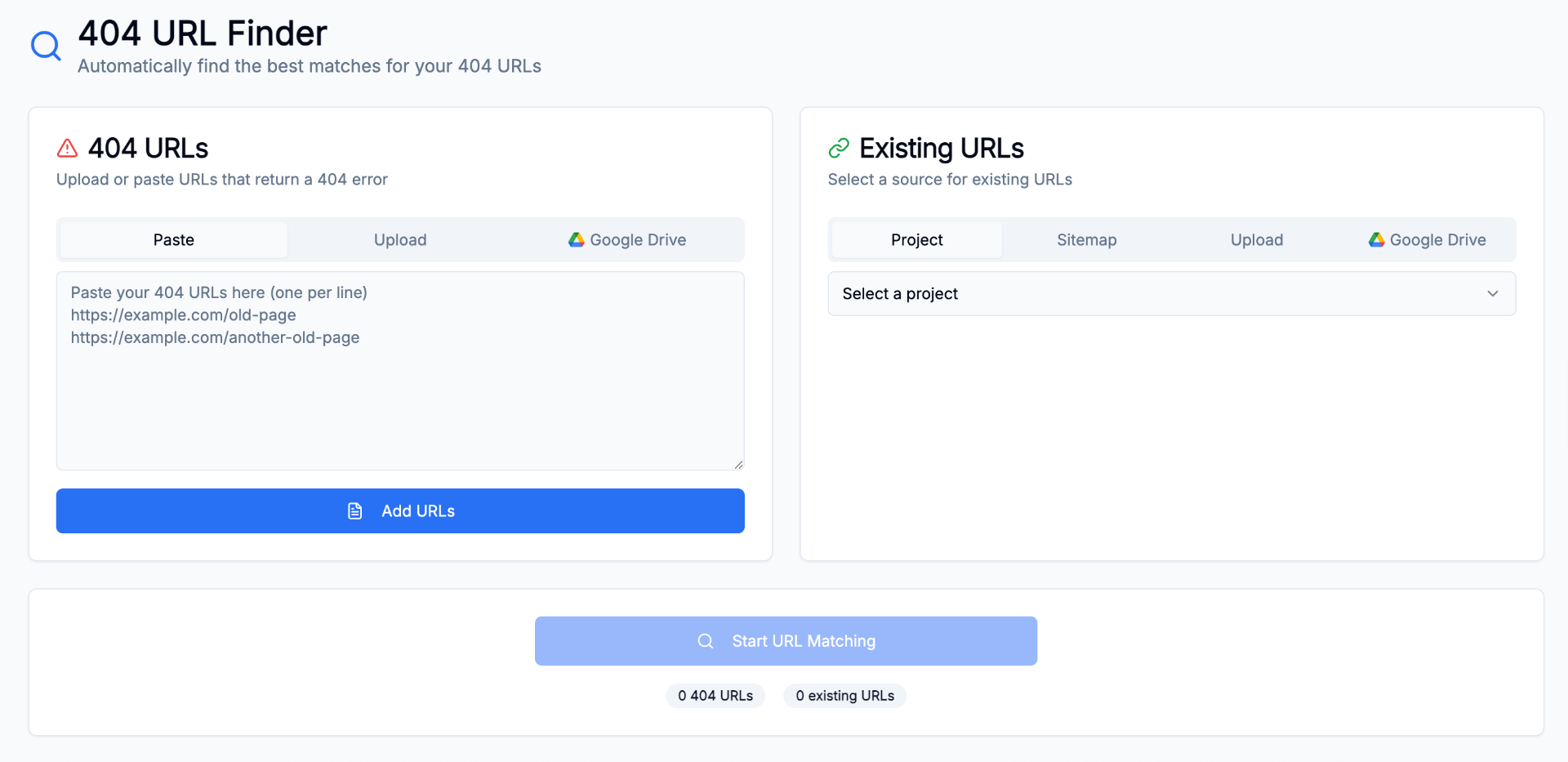
404 Finder

Paste or upload broken URLs, match them against a sitemap or project crawl and review relevant replacement suggestions.

  • Paste 404 URLs or upload them from CSV or Excel
  • Use a project crawl, sitemap or uploaded file as the live target list
  • Use the URL matching engine to suggest live replacements
  • Review reasons and confidence before accepting a target
  • Use homepage fallback only when no suitable match exists
404 Finder interface
Optimize

Internal Linking Tool

Find source pages, target pages and anchor suggestions using content relevance, the existing link graph and internal PageRank.

  • Match source and target pages by content relevance
  • Avoid suggesting links that already exist
  • Weight opportunities by source-page authority
  • Review the source paragraph, anchor text and confidence
Opportunity reviewIllustrative flow
Source/guides/site-migrationTarget/features/seo-crawlerAnchorSEO crawler
Link checkedReviewContext available
Across the platform

The supporting tools are part of the workflow

Saved Sessions

Resume matching work with the same stable IDs, review states and audit history.

Flexible input

Upload CSV, TSV, Excel or JSON, crawl a site directly, or reuse URLs from an SEO Project.

GSC keyword intelligence

Open Keyword Matrix, URL Drivers, cannibalization, CTR gaps, content decay, movers and indexing views.

Duplicate content

Find near-duplicate pages and review canonicalization or cannibalization risks.

Path change detection

Identify repeated URL rename patterns between crawls and turn them into bulk redirect proposals.

Exports and Google Drive

Export accepted redirects and selected project reports without rebuilding the dataset elsewhere.

Cross-domain links

Find outbound links to other owned properties or domains from a project allow-list.

URL Performance reasoning

Compare periods per URL and review an automatic explanation of the queries behind a gain or loss.