
01
Crawl
Build the complete URL inventory
Crawl the old, staging, new or live site, or import crawl files. Keep technical, content and link data attached to every discovered URL.
Crawl the old and staging sites, prioritize legacy URLs with Search Console, build and review redirects, compare technical and content changes, and track URL and query movement, risk and indexation after launch.
7-day Pro access. No credit card required.
URLMatcher is an all-in-one SEO migration tool that connects site crawling, redirect planning, launch validation and post-launch monitoring of URL transfer, query movement and indexation in one reviewable workspace.
Crawl the old, staging, new or live site, or import crawl files. Keep technical, content and link data attached to every discovered URL.
Use Search Console context to prioritize legacy URLs, then review suggested targets, matching reasons, confidence and safety guards before export.
Check unmatched URLs, redirect chains and loops, robots, noindex, canonicals, sitemaps, content loss and changes to internal links.
Compare baseline and follow-up Search Console data, URL and query movement, migration risk, indexation and live redirect results.
Build the old and new URL inventories from crawl data, then use the same technical, content and link signals for redirect planning, readiness checks and post-launch investigation.
Control where the crawl starts and how URL inventory is discovered.
Keep the signals that determine whether a URL can be crawled and indexed.
Inspect the page elements that can disappear or drift between releases.
Preserve the relationships that reveal crawl paths and internal authority.
Review migration status, Search Console movement, indexation, technical health, content parity and site structure in the same workspace.
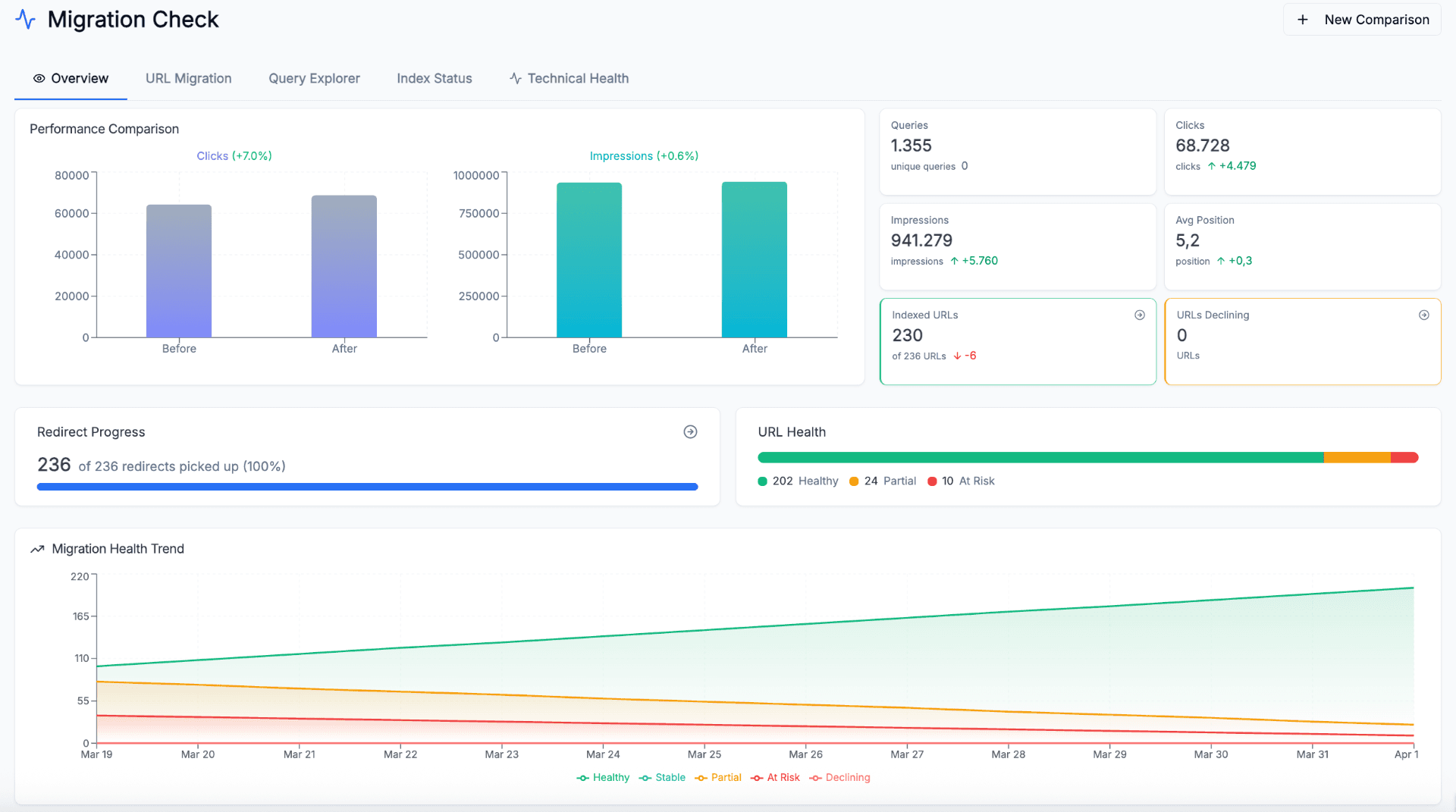
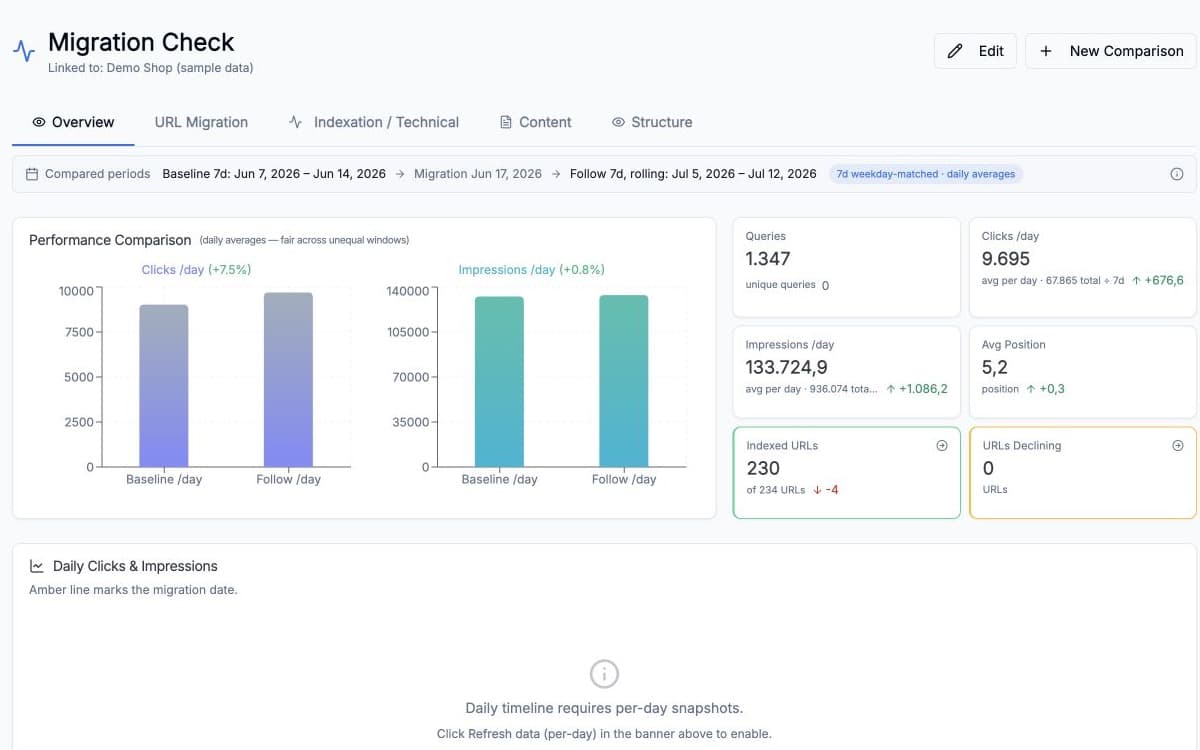
Compare baseline and follow-up performance, indexed URLs, declining URLs and redirect progress.
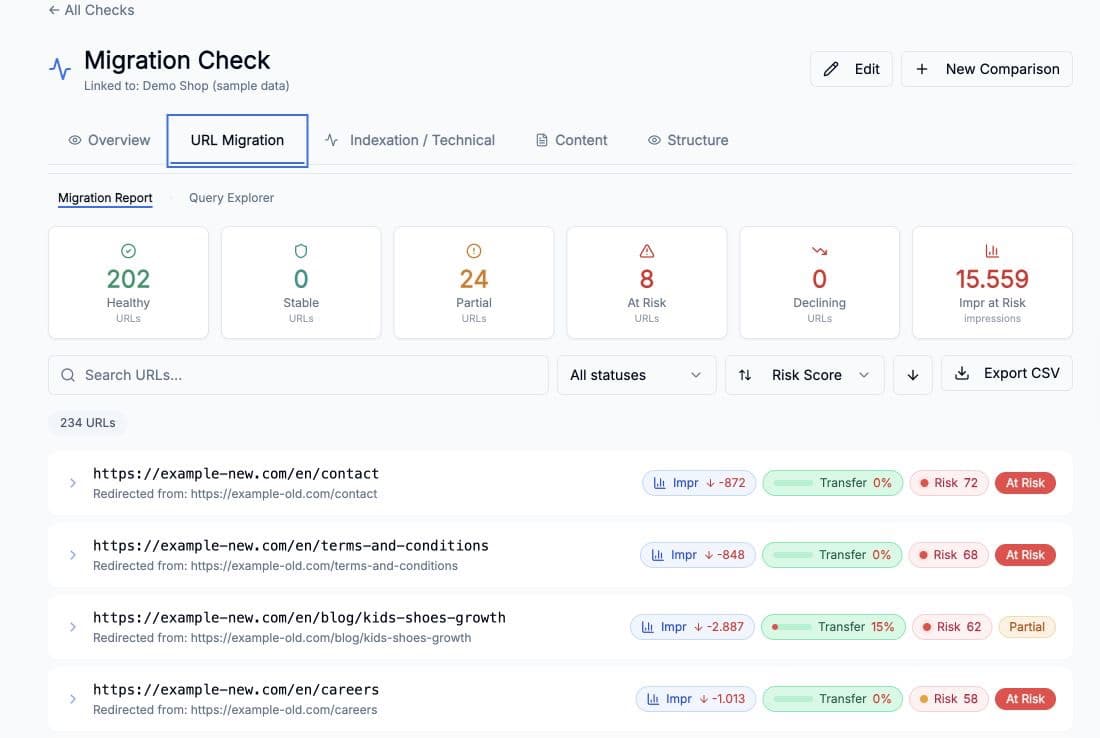
Review old and new URLs together with transfer status, visibility change and migration risk.
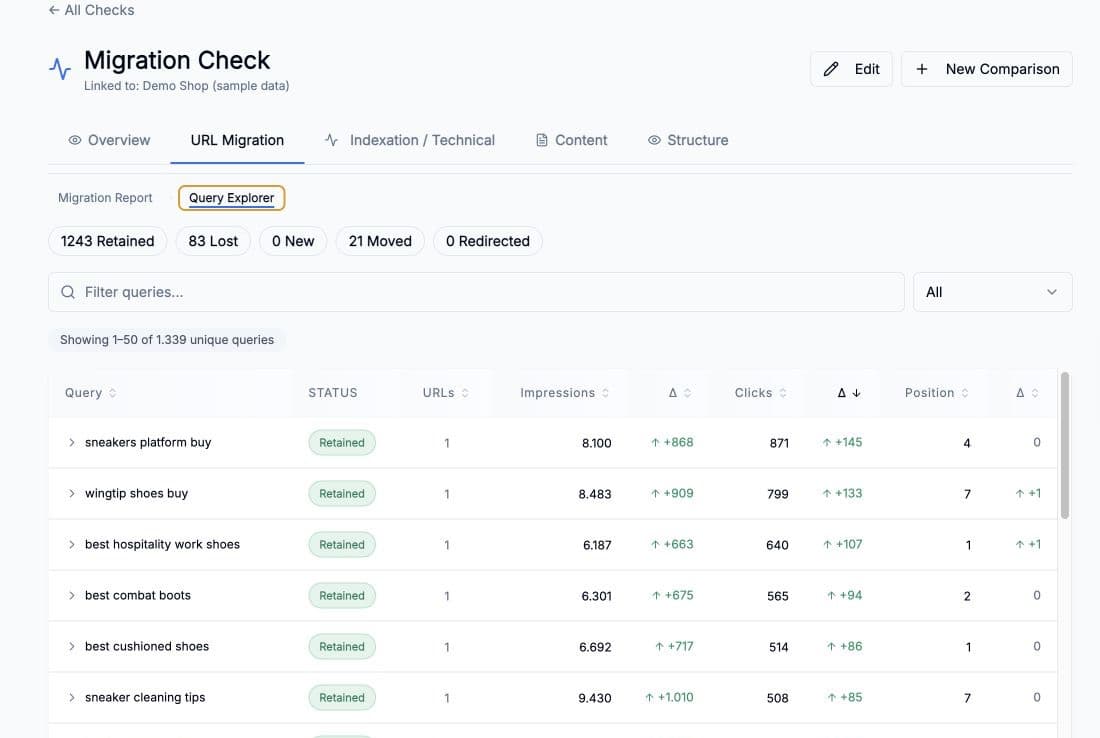
Filter retained, lost, new, moved and redirected queries and compare Search Console movement.
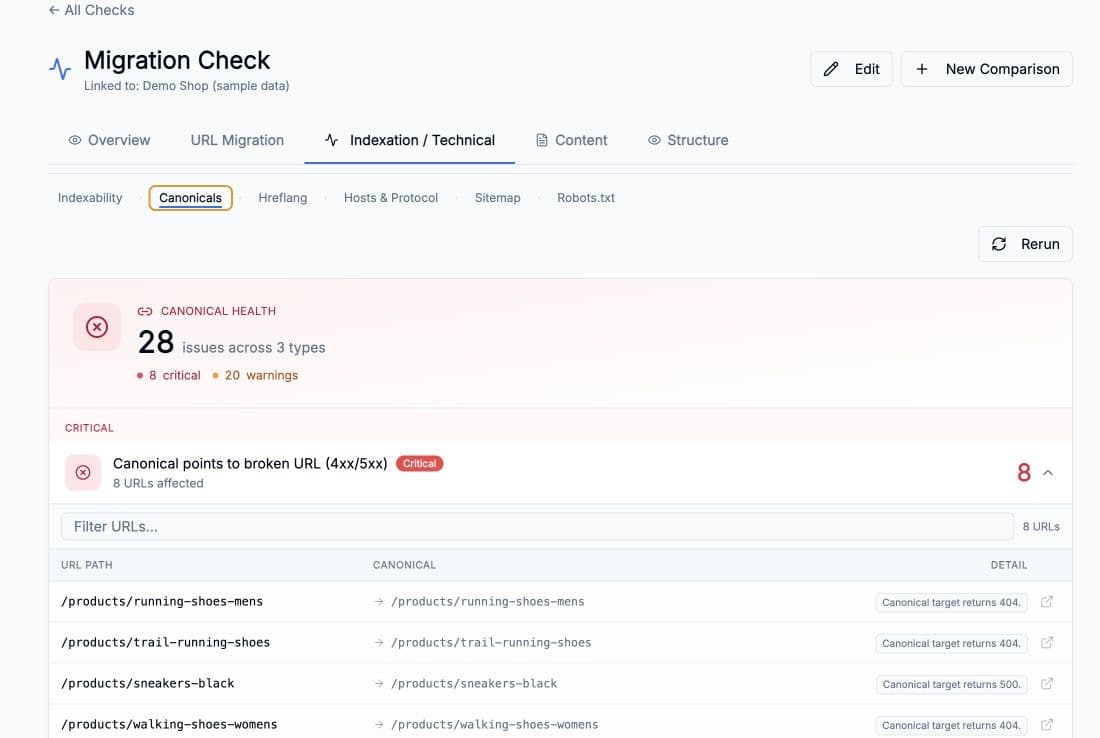
Inspect indexability, canonicals, hreflang, hosts, protocols, sitemaps and robots findings.
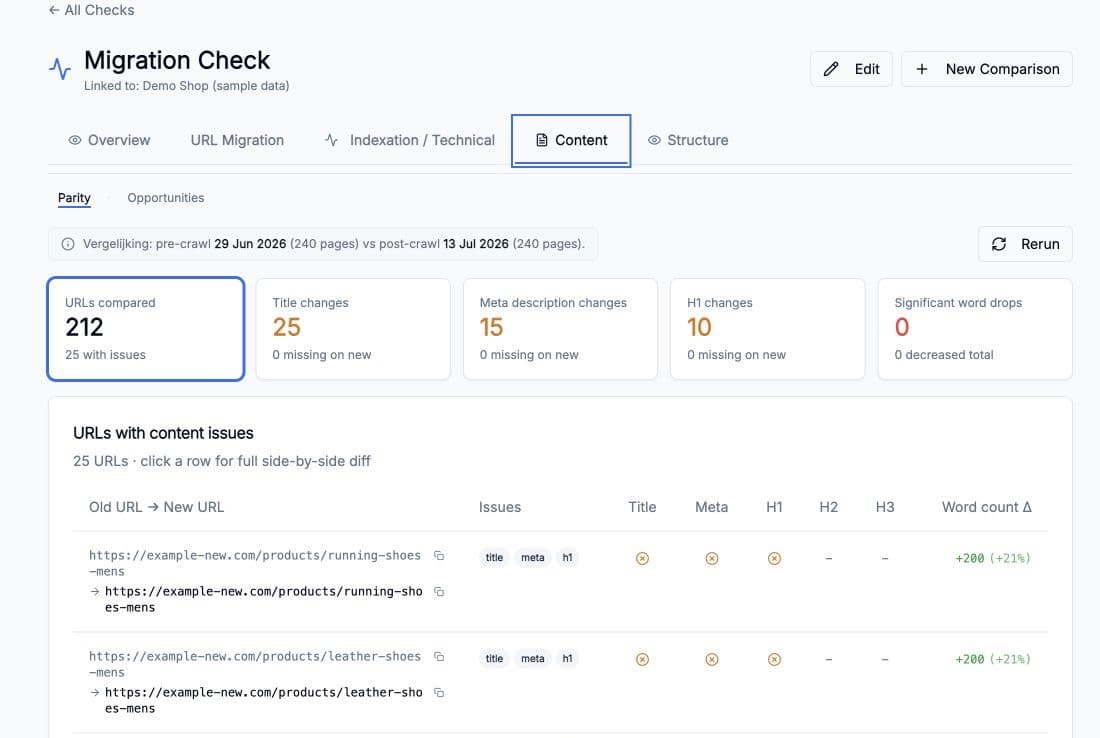
Compare titles, descriptions, headings and word counts between pre-launch and post-launch crawls.
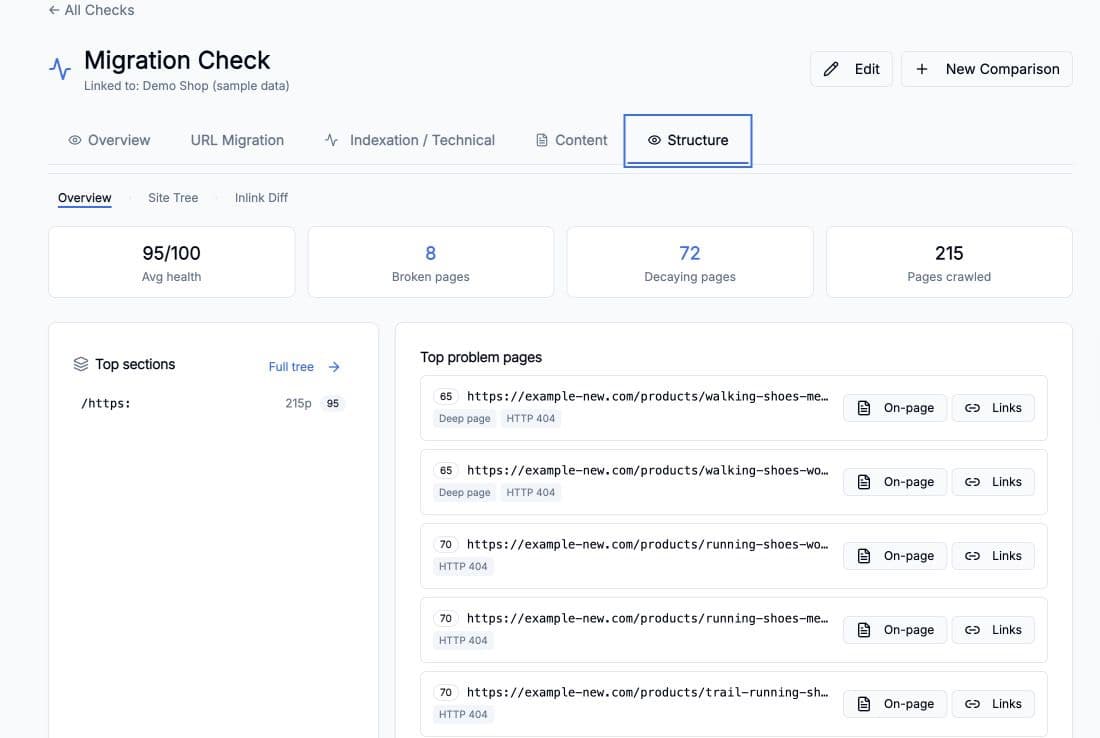
Review site health, broken pages, section structure and changes in internal linking.
Keep the decisions, evidence and follow-up connected from the first crawl through post-launch monitoring.
Crawler exports and cleaned URL lists
Old and new crawl inventories with technical, content and link data attached
Spreadsheets, formulas and review notes in separate files
Matching reasons, confidence, guards, review states and approved exports
A one-off redirect check without the crawl or traffic context
Readiness findings, crawl differences, priority live redirects and robots.txt
Search Console exports and manual URL comparisons
URL and query transfer, risk scores, indexation and dated crawl findings
Important landing pages can lose clicks and impressions even when sitewide Search Console totals barely move.
High-value queries can drop in position, move to the wrong URL or remain attached to the old domain.
Aggregate reports do not show which pages and queries need attention first after launch.
Crawl the current site and the accessible rebuild, then prepare the redirect file before the new platform goes live.
The crawler keeps status, canonical, metadata and link data attached to each URL. URL Mapping handles the reviewed old-to-new pairs.
Map legacy paths to the new domain or taxonomy while keeping locale and page-type differences visible during review.
Search Console baseline data provides context for important legacy URLs. It does not replace manual review of ambiguous destinations.
Compare the expected redirect map with the URLs and queries Google is actually showing after launch.
The monitoring workspace separates transferred, lost, moved and still-on-old queries and adds traffic-weighted URL risk scores.
Crawl both sites, review the redirect plan, validate the launch and use Search Console data to investigate what changes afterwards.