
Built-in site crawling

SEO Crawler for technical site data.

Crawl old sites, new sites and ongoing SEO Projects. Keep technical fields, content, link relationships and crawl changes available at URL level.

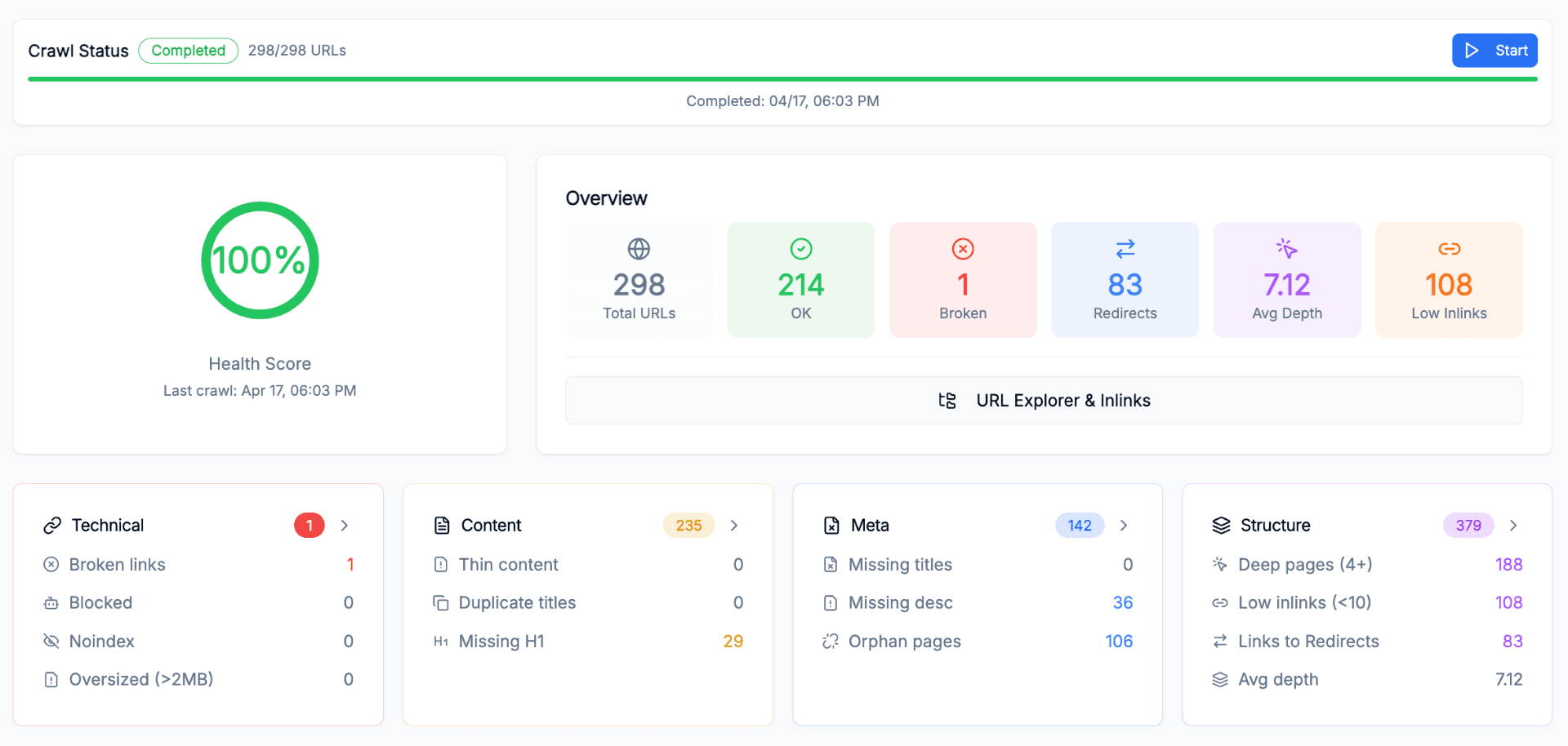
URLMatcher SEO crawler dashboard
crawl-input.csv
Common crawl-data gaps
Parameter variants were removed
Staging and production hosts were combined
No previous snapshot is available
Internal links were not included
The problem

A cleaned export can hide the URLs you needed to inspect.

Query parameters, trailing slashes and staging hosts can represent separate technical states.

Without the link graph, orphan pages and low-inlink sections are harder to diagnose.

Without snapshots, a release comparison becomes another manual spreadsheet exercise.

How it works

From domain to crawl data in 4 steps

01

Add the site

Enter a domain, reuse a project or start from a migration workflow.

02

Set the scope

Choose depth and include or exclude URL patterns.

03

Run the crawl

Follow live progress while pages are fetched and parsed in batches.

04

Inspect the data

Open URLs, issues, links and crawl differences in the project.

Capabilities

Crawler controls and URL-level output

The crawl configuration and extracted fields remain connected to migration and project workflows.

Live crawl progress

Run a one-shot crawl or crawl inside a project and follow the current processing state.

Crawl status
Crawl running
Pages processed in batches
Discovering URLsLive progress

Depth and URL controls

Set crawl depth and include or exclude URL patterns before the crawl starts.

Crawl configuration
1
2
3+
Include /products/
Exclude /account/

Sitemap discovery

Check common sitemap locations automatically and compare sitemap URLs with crawl discovery.

Sitemap vs crawl
Crawled
Sitemap
12 orphans

Host separation

Detect staging hosts so development and production environments are not mixed into one crawl.

Host detection
www.example.com
staging.example.comSEPARATE
Environments remain visible and distinct

SEO extraction

Collect status, canonical, indexability, metadata, headings, text, links, timing and redirects.

Fields per URL
Status
Canonical
Indexability
Title
Headings
Links
Response
Depth

Complete link graph

Keep inbound, outbound and internal links for issue analysis, PageRank and link opportunities.

URL detail
/products/runner-x9
Inlinks
23
Issues
2
PR
0.012
200indexable

Snapshot comparison

Compare two crawls and inspect URL, metadata, status and structural changes.

Crawl comparison
Previous
crawl snapshot
Current
crawl snapshot
URLsStatusMetadataLinks

Project scheduling

Run on demand or use the crawl schedule available for the project plan.

Crawl schedule
Scheduled recrawl
Next run shown in project
ScheduledOn demand
Use cases

Where the crawler fits into the workflow

01

Migration crawl preparation

Crawl the old and new site directly before URL matching starts.

Domain, locale and staging checks keep the two URL sets usable for the matching workflow.

Old and new site - crawl both sources
Sitemap discovery - common locations checked
Parameter variants - kept visible
Matching input - reuse crawl results
02

Technical release checks

Compare crawl snapshots after a release, redesign or template change.

Status, canonical, metadata, headings and internal links stay available at URL level for comparison.

Snapshot comparison - before and after
Status changes - redirects and errors
Metadata changes - titles and headings
Structure changes - depth and inlinks
03

Ongoing project monitoring

Keep crawl data current inside the same project as issues and GSC analysis.

Scheduled crawls feed URL Explorer, issue reports, PageRank, duplicate detection and internal link analysis.

Scheduled recrawls - plan-based frequency
URL Explorer - raw page data
Project Issues - severity and explanation
Link graph - PageRank and opportunities
FAQ

SEO crawler questions

Run the crawl inside SEO Projects.

Set the scope, start the crawl and inspect every URL from the same project workspace.