Google Crawl Check
Your site was offline. What did Google see?
Check Google's last known crawl and reported fetch result for your important URLs. Useful after downtime, content updates or a new publication. Save the pages you want to watch and follow their search performance.
Free for all accounts through 23 November 2026 · No project or credit card needed
Start with the pages that matter
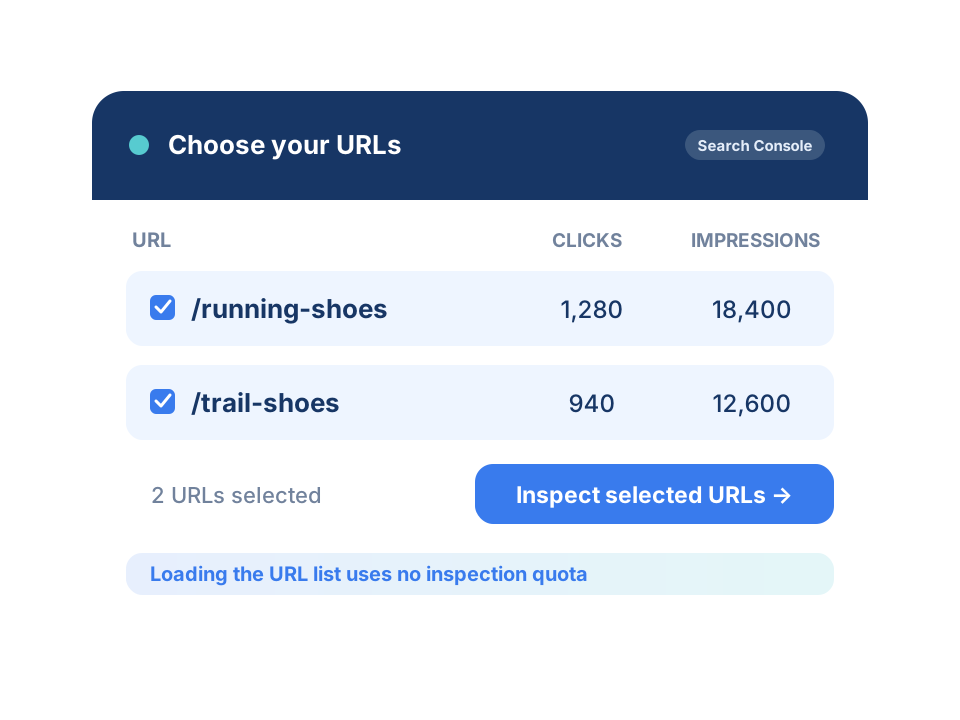
Connect Search Console. Choose your URLs.
Load pages from a connected Google Search Console property and use clicks and impressions to prioritize the URLs you want to investigate.
Find important pages
Load and filter your URL list without spending any URL Inspection quota.
Inspect your selection
Explicitly select the URLs to check. Only inspections use Google's inspection allowance.
Start without an SEO Project
Open Google Crawl Check directly from your URLMatcher account.
Investigate the outage window
See Google's latest reported result
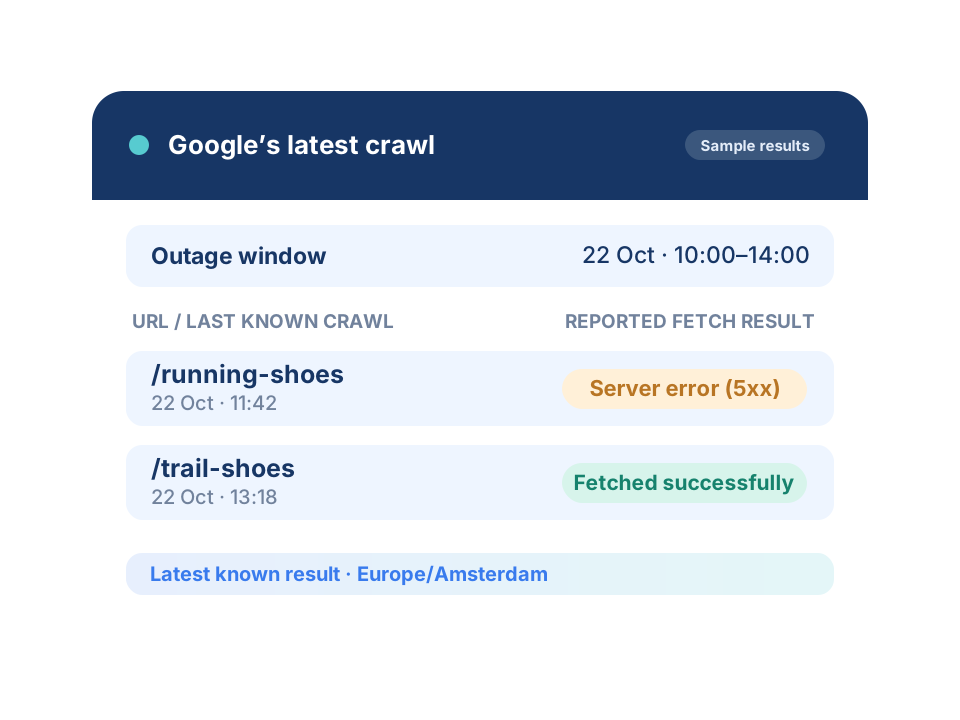
Use date and time filters, choose your timezone and narrow by fetch result to find URLs whose last known Google crawl falls inside your outage window.
Last known crawl and index status
Read the latest crawl time, fetch result and index status returned by Google's URL Inspection API.
Understand the reported outcome
Review results such as fetched successfully, server error (5xx) or soft 404.
Keep the evidence in context
This is Google's latest known result, not a complete visit history or a copy of the HTML Google fetched.
Follow up after the incident
Save a URL group. Watch what happens next.
Keep the selected URLs with their original inspection results. Compare clicks, impressions and average position over 7, 14 or 28 days before and after a reference date. Choose the period when creating a group or change it later. Groups receive daily inspection priority for the chosen number of days from creation, within Google's shared property quota and the 24-hour cache. One overview brings together your groups across all connected properties.
Open Google Crawl Check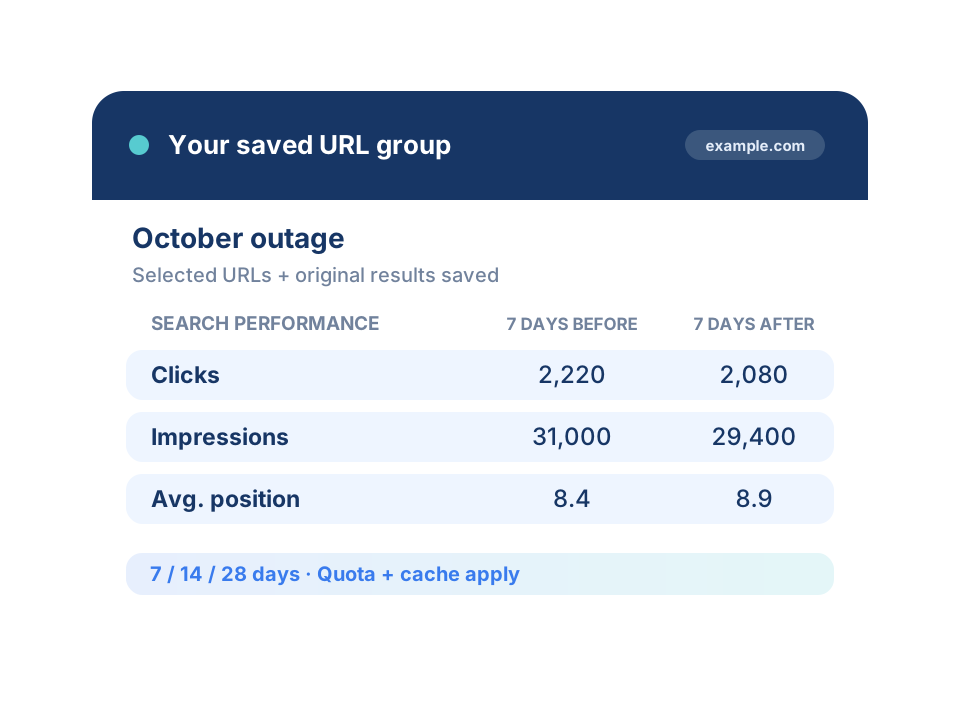
Where it helps
Keep your important pages in view
An unexpected outage
Check whether the last reported Google crawl of a key page falls inside the time your website was unavailable.
Updates and new publications
Review Google's last known crawl and index status after changing content, publishing a page or planned maintenance.
Pages worth watching
Save your important landing pages as a group and follow search performance as Google's delayed data becomes available.
FAQ
Frequently asked questions
Is Google Crawl Check free?
Google Crawl Check, saved URL groups and their follow-up are free for all accounts through 23 November 2026, inclusive, in the Europe/Amsterdam timezone. You need an account and a connected Search Console property, but no project or credit card. A paid subscription is required after the introduction. This offer does not include all other URLMatcher tools.
Does this show every Googlebot visit?
No. The URL Inspection API returns Google's last known crawl and its reported fetch and index status. An earlier visit can be replaced by a more recent result. Filtering by an outage window cannot reconstruct missing crawl history. Server logs are needed for a full record of requests.
Can it prove Google saw a 503 or a maintenance page?
No. Google can report a server error (5xx), but this does not establish whether the exact response was 503 or another 5xx status. A successful fetch does not prove Google received your normal page instead of a maintenance page returning HTTP 200. The API does not provide historical HTML or establish the cause of an outage.
What uses the URL Inspection quota?
Loading and filtering Search Console URLs does not use URL Inspection quota. Inspecting selected URLs does. Google allows 2,000 inspections per property per day, shared with Migration Check. URLMatcher reuses recent results for 24 hours. Larger selections run over multiple days; the tool does not bypass Google's quota.
What happens when I save a URL group?
The group keeps the selected URLs and their original inspection results. Choose a 7, 14 or 28 day comparison period. It receives daily inspection priority for that many days from group creation, subject to the shared property quota and 24-hour caching. The groups overview shows all your own groups across connected Search Console properties.
How soon can I see the effect on search performance?
Choose 7, 14 or 28 days before and after a reference date to compare clicks, impressions and average position. You can change this period for an existing group. Search Console data arrives with a delay, so recent days or the full after-period may not be available yet. A change in performance alone does not prove the outage caused it.
Check the pages you care about
Connect Google Search Console, select your URLs and review Google's latest known crawl. Free for all accounts through 23 November 2026; a paid subscription is required afterwards.